
 Feedback
ChatGPT for Contractors: A Beginner’s Guide
Posted by Best Access Doors on 31st Aug 2026
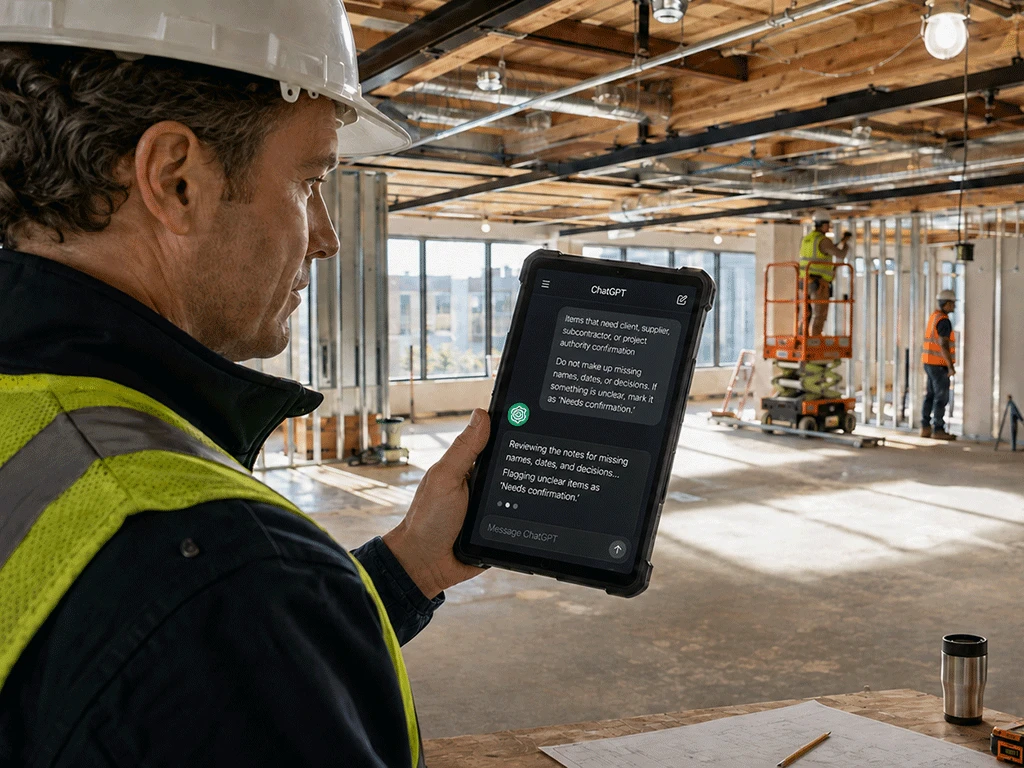
If you’re a contractor, you may have heard people talk about ChatGPT and wondered if it can actually help with construction work.
The answer is yes, but only if you use it correctly.
ChatGPT for contractors won’t replace your trade knowledge, field experience, project documents, supplier details, or professional judgment. It shouldn’t make final decisions about code, pricing, fire ratings, product approvals, measurements, or project requirements.
But it can help with writing, organizing, and cleaning up information. This guide explains what ChatGPT is, what contractors can type into it, what it can help with, what not to trust it with, and how to check the answer before using it.
What Is ChatGPT and How Can Contractors Use It?
ChatGPT is an AI tool that responds to written instructions. You type in a request, question, or set of notes, and it gives you a written answer.
The easiest way to understand how contractors can use ChatGPT is to think of it as a writing and organizing assistant.
For example, you can ask it to:
- draft a project email
- organize a punch list
- summarize meeting notes
- write a scope of work draft
- create a checklist
- explain estimate details in plain language
- prepare questions for a supplier
The important thing to remember is that ChatGPT only works with the information you give it. It doesn’t know your site conditions, local requirements, project specs, client approvals, or exact product details unless you include them in your prompt.
That is why contractors should use ChatGPT to create drafts, not final decisions.
What Should Contractors Type Into ChatGPT?
The quality of ChatGPT’s answer depends on what you type into it. A vague request usually gives a vague answer.
Instead of typing:
Write a scope of work.
Try:
Act as a construction project coordinator. Turn the notes below into a clear scope of work. Include a project summary, included work, exclusions, assumptions, materials to confirm, access requirements, and open questions. Do not make up missing details. If something is unclear, list it under “Needs confirmation.”
This works better because you are giving ChatGPT a clear role, task, format, and rule.
A good prompt should include:
- Role: Tell ChatGPT who to act as.
- Task: Tell it what to do.
- Format: Tell it how to organize the answer.
- Details: Paste your notes or project information.
- Limits: Tell it not to make up missing details.
A simple formula is:
Act as a [role]. Help me [task]. Organize the answer by [format]. Use the notes below. Do not make up missing information. List unclear items under “Needs confirmation.”
This formula works for many construction tasks.
What Can ChatGPT Help Contractors With?
ChatGPT is useful for tasks that involve writing, summarizing, organizing, or explaining information.
Here are some common examples.
1. Streamlining Daily Communication
Contractors spend hours writing client updates, following up with subcontractors, and coordinating with suppliers. ChatGPT can turn rough notes into clear, professional messages, whether that's an email or a meeting summary ready to share with the project team.
Example: You can paste raw bullets from a jobsite walkthrough and ask ChatGPT to draft a supplier email requesting confirmation on door size, finish, fire rating, lead time, and submittal documents.
2. Formatting Messy Project Data
Walkthrough notes, punch list items, and scope details rarely start out organized. They come in as texts, voice memos, photos, and scribbled notes. ChatGPT can take that scramble of information and format it into something usable.
Example: You can feed ChatGPT a mix of field notes and ask it to sort them into a clean table organized by location, urgency, and trade. It can also turn rough walkthrough notes into a structured scope draft that clearly breaks down inclusions, exclusions, assumptions, and items needing confirmation.
3. Explaining Technical Details & Drafting Supplier Questions
When a client questions a line item or a new team member needs context on a material choice, ChatGPT can break down technical details in plain language. It can also help you figure out exactly what to ask before calling a manufacturer or submitting a quote request.
Example: You can ask ChatGPT to explain why a fire-rated access door costs more than a standard panel, or why stainless steel is specified for a wash-down area.
For supplier coordination, ask it to generate a list of questions covering rough opening size, finish, fire rating, lead time, lock options, and required submittal documents.
4. Building Pre-Construction Checklists
Forgetting an access point during early planning can lead to expensive rework later. ChatGPT can help contractors think through where access may be needed before walls, ceilings, or finishes are completed.
Example:
You can paste your MEP (Mechanical, Electrical, Plumbing) notes into ChatGPT and ask it to create a checklist of areas where future maintenance access will be required. It can remind you to account for concealed HVAC valves, ERVs, or electrical junctions before drywalling begins.
These are just the starting points. For a full breakdown of how contractors are putting AI to work on real jobs, check out AI for Contractors: 10 Simple Ways to Save Time on Construction Work.
What Should Contractors Never Trust ChatGPT With?
ChatGPT can be helpful, but it has limits.
Do not rely on ChatGPT alone to:
- confirm code compliance
- approve fire-rated products
- make AHJ decisions
- verify product labels or testing
- confirm final measurements
- create final pricing
- approve substitutions
- interpret contracts
- make safety decisions
- replace official project documents
- guarantee that a product will pass inspection
This is especially important for fire-rated access doors and access panels, as well as product approval requirements.
Instead of asking:
Does this product meet code?
Ask:
What details should I confirm before ordering this product?
That keeps ChatGPT in the right role. It helps you prepare better questions without asking AI to make a final approval decision.
How Should Contractors Check ChatGPT’s Answer?
Before using any ChatGPT draft, review it carefully.
Ask yourself:
- Did it add anything that was not in my notes?
- Are the measurements correct?
- Are the product details confirmed?
- Are the fire rating details verified?
- Are the assumptions clearly labeled?
- Are the exclusions clear?
- Are the open questions listed?
- Does this need supplier confirmation?
- Does this need project authority or AHJ confirmation?
- Does anything sound like a guarantee?
If the draft is going to a client, check the tone and accuracy. If it is going to a supplier, check that the product details are complete. If it is for internal use, check that the responsibilities and next steps are clear.
ChatGPT can help draft it, but you should still conduct the final review.
Tips for Getting Better ChatGPT Answers
If ChatGPT gives you a weak answer, improve the prompt.
Give it more detail. Tell it what format to use. Tell it what not to do.
You can also ask follow-up questions like:
- Make this shorter.
- Turn this into a checklist.
- Make this easier for a client to understand.
- List the missing details.
- Remove anything that sounds like a guarantee.
- Create a version I can send to a supplier.
- Organize this by trade and priority.
You do not need the perfect answer on the first try. Treat ChatGPT as a tool you can guide.
Final Thoughts
ChatGPT for contractors does not need to be complicated. You can start with simple tasks like writing emails, organizing punch lists, cleaning up meeting notes, drafting scopes of work, and preparing supplier questions.
The best way to use it is as a first-draft assistant. Give it clear instructions, paste in your rough notes, and tell it not to make up missing details. Then review the answer before using it.
Used this way, ChatGPT can save time on admin, planning, and communication without replacing the judgment that construction work requires. It's one of the simplest entry points into AI for subcontractors and contractors who want to work more efficiently.
Download Our Free Contractor AI Prompt Pack
Want a simple way to start using ChatGPT on real construction tasks?
Download the Free Contractor AI Prompt Pack from Best Access Doors. It’s a ready-to-use collection of AI prompts for construction tasks, including scopes of work, punch lists, supplier questions, fire-rated access door checklists, and more.