
 Feedback
How to Use AI to Create a Construction Punch List
Posted by Best Access Doors on 31st Aug 2026
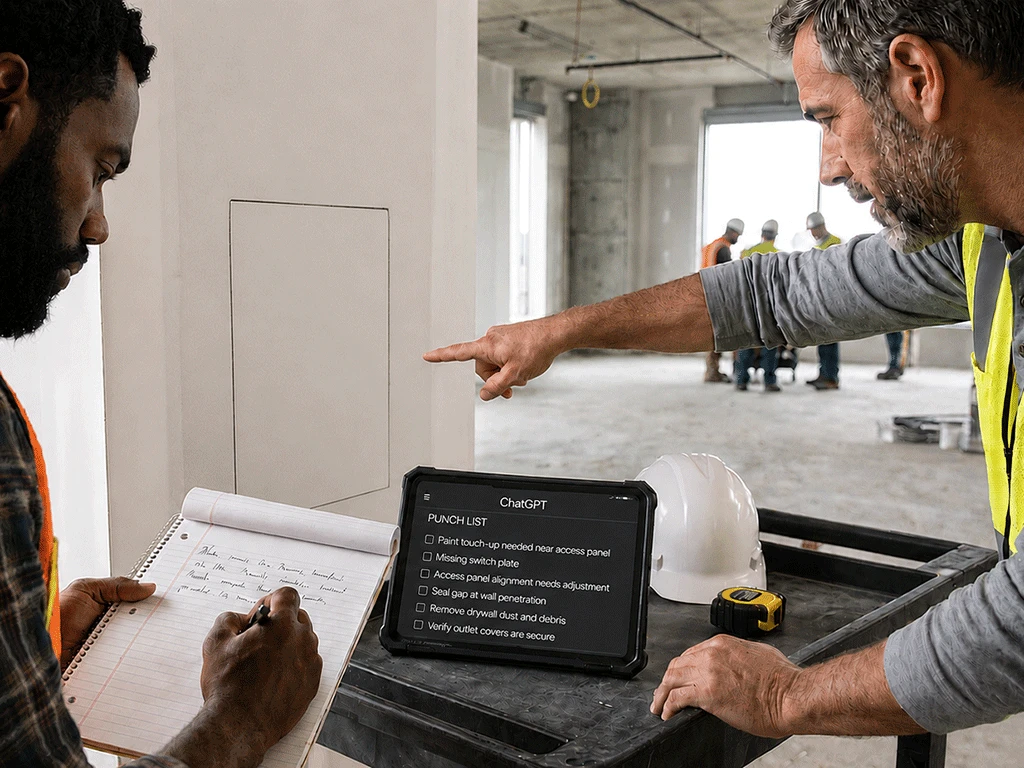
Punch lists are part of almost every construction project, and they get messy fast. Notes pile up from site walks, subcontractor texts, client calls, and quick photos. By the time you sit down to organize everything, hours can disappear just sorting through what you already know needs fixing.
This is one of the more practical ways AI can save time on construction work.
An AI punch list generator can sort that information by trade, location, urgency, responsible party, and completion status. That means less time spent manually sorting through it yourself.
It will not walk the site for you or confirm what is actually finished. But it can turn notes that only make sense to you into something your team can act on.
How Can AI Help Create a Punch List?
AI can help organize rough field observations into a clear AI jobsite checklist of items that need to be completed, corrected, or checked.
Most contractors already have the information needed to create a punch list. The issue is that it is often spread across different sources and formats.
Paste your notes into an AI tool or AI punch list generator, ask it to sort them into a punch list format, then review the output and fill in anything missing.
Here is what AI can sort that information into:
- Trade: Items get grouped under drywall, painting, electrical, HVAC, plumbing, flooring, or supplier follow-up based on what each observation describes.
- Location: Each item is sorted by room, floor, or area, so whoever gets the assignment knows exactly where to go.
- Urgency: Anything blocking inspection, turnover, or the next trade gets flagged as high priority, while minor touch-ups fall lower on the list.
- Responsible Party: AI suggests a likely owner for each item based on the description, but those assignments still need your confirmation before the list goes out.
- Completion Status: Items get labeled as not started, in progress, needs confirmation, or complete based on your observations.
- Follow-Up Questions: Anything unclear gets pulled out separately, like who is responsible for an item, whether a finish was approved, or whether something falls under the original scope or a change order.
If an observation does not have enough detail for one of these categories, tell the AI tool to mark it "needs confirmation" instead of guessing. That keeps the list accurate and gives you a clear picture of what still needs to be verified before anyone gets assigned.
What AI Tool Should I Use for a Punch List?
Any AI tool can be used to organize a contractor punch list. ChatGPT is the most common starting point for contractors. It's free to use, handles large blocks of notes without issue, and responds well to plain instructions.
You don't need specialized construction software to get a usable output. A clear prompt and your raw notes are enough to get started.
If you are new to using AI on the job, ChatGPT for contractors covers how to set up prompts, what to include, and what the tool is not suited for.
What Details Should Contractors Give AI?
AI works better when your observations include enough context. Before pasting them in, pull together what you already know. Written notes, voice memo transcripts, and descriptions of what you saw in photos all work. These may include:
- Project and Location Details: Include the project name or area along with the building, floor, room, or specific location where the issue was found.
- Issue: Describe what is wrong or what needs to happen, not just that something needs attention.
- Trade or System: Mention the trade, if known. Even a rough guess helps AI assign the item correctly.
- Priority and Ownership: Include the urgency level, the responsible person or company, and the due date, if applicable.
- Open Items: List any unanswered questions and flag anything waiting on supplier confirmation or a project team decision.
Copy/Paste Prompt: AI Punch List Generator
Use this prompt when you have rough walkthrough notes and need a cleaner punch list draft.
Copy/Paste Prompt:
Act as a construction project coordinator. Turn the walkthrough notes below into a clear construction punch list.
Create a table with these columns:
- Item number
- Location
- Issue or task
- Trade or responsible party
- Priority
- Completion status
- Notes or missing details
Use plain language. Do not make up information. If the responsible party, priority, completion status, or location is unclear, mark it as "Needs confirmation."
After the table, list the top follow-up questions I should confirm before assigning the punch list.
Walkthrough notes:
[Paste notes here]
Example: Turning Walkthrough Notes into a Punch List
Here is a simple example.
Your rough notes may say:
Lobby access panel needs paint touch-up. Mechanical room door latch sticking. 2nd floor hallway ceiling panel loose. Electrical closet needs cleanup. Confirm if drywall trade handles patch near plumbing access. Client wants these reviewed before Friday.
AI can organize that into a clearer punch list.
It may create items such as:
- Lobby: Paint touch-up near access panel
- Mechanical Room: Check sticking door latch
- 2nd Floor Hallway: Inspect loose ceiling panel
- Electrical Closet: Complete cleanup
- Plumbing Access Area: Confirm responsible trade for drywall patch
It may also flag missing details, such as who owns each item, what the priority should be, and whether the deadline applies to all items.
That is a usable construction punch list template to start from. From there, you still need to confirm what is actually on site before assigning anything.
What to Check Before Sending an AI-Generated Punch List
Before sharing or assigning a punch list created with AI, review it carefully.
Check the following:
- Are the locations correct?
- Are the issues described clearly?
- Are the responsible trades accurate?
- Are the priorities correct?
- Are the statuses current?
- Did AI add anything that was not in your notes?
- Are the missing details clearly marked?
- Are follow-up questions included?
- Does any item need supplier confirmation?
- Does any item need project authority or AHJ confirmation?
- Has the list been checked against the actual site?
AI can help organize the first draft, but the final punch list should still be based on real site conditions.
It can't tell you what has been fixed since your last walk, what a sub already marked resolved, or whether a fire-rated access door flagged on the list meets your project's code requirements. That confirmation has to come from your judgment, the manufacturer's submittal documents, and your local AHJ.
Final Thoughts
An AI punch list generator can help contractors turn rough walkthrough notes into a cleaner, more useful construction punch list.
It can organize items by location, trade, urgency, responsible party, completion status, and follow-up questions. This saves time and makes the list easier to review, assign, and track.
The key is to use AI for organization, not final verification. AI cannot walk the site, check the work, or confirm what is complete. That part still belongs to the contractor and project team.
Use AI to clean up the notes. Then, verify the punch list before sending it out.
Download Our Free Contractor AI Prompt Pack
Want a faster way to organize punch lists and other project notes, without rebuilding the same prompt every time?
Download the Free Contractor AI Prompt Pack from Best Access Doors. It includes 20 copy/paste prompts for scope of work, change order explanations, RFI drafts, submittal summaries, access door selection, and more.